In the high-octane world of mobile battle royales, survival is only half the victory—style is the other half. For millions of players around the globe, Garena Free Fire isn't just a shooter; it's a digital runway where tactical gear meets neon street fashion. But why limit that adrenaline rush to your mobile screen?
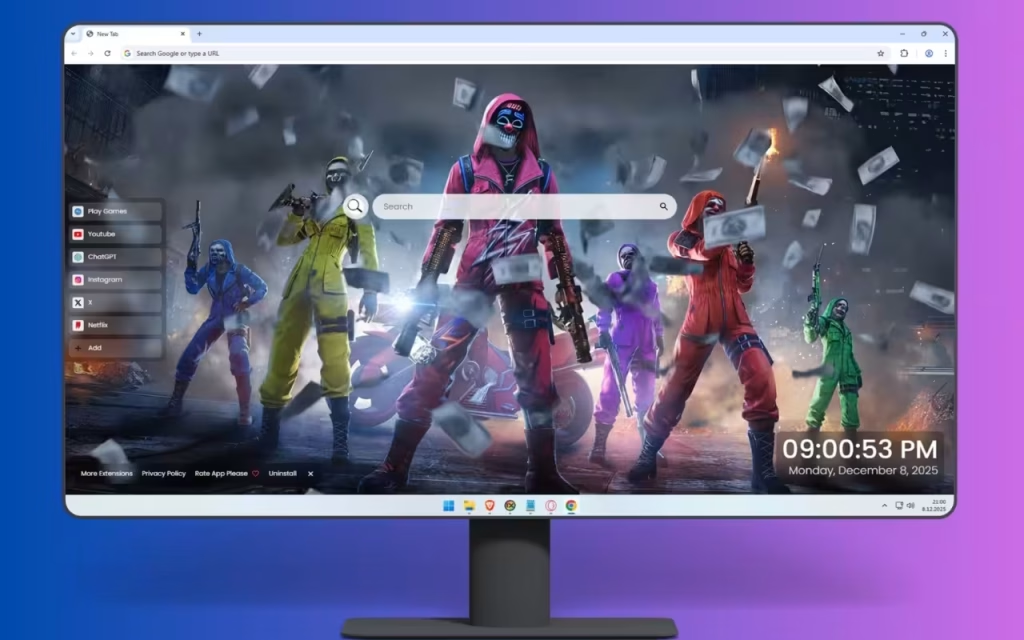
Imagine opening a new tab to find yourself standing in the middle of a war-torn city, flanked by a legendary squad that screams dominance. The Free Fire New Tab extension brings the explosive energy of the battlefield directly to your desktop. It transforms your browsing experience from a mundane task into a "Booyah!" moment, featuring a Free Fire Live Wallpaper that captures a crew of seven masked warriors in their absolute prime.
This article dives deep into the visual artistry of this extension, the features that boost your productivity, and the cultural phenomenon of the style-obsessed battle royale genre.
The Visual Masterpiece: A Symphony of Neon and Destruction
The centerpiece of this extension is a stunning composition that tells a story of survival, teamwork, and raw power. It goes far beyond a standard screenshot; it is a work of digital art designed to pump you up for the day ahead.
The Squad Leader and the Spectrum of War
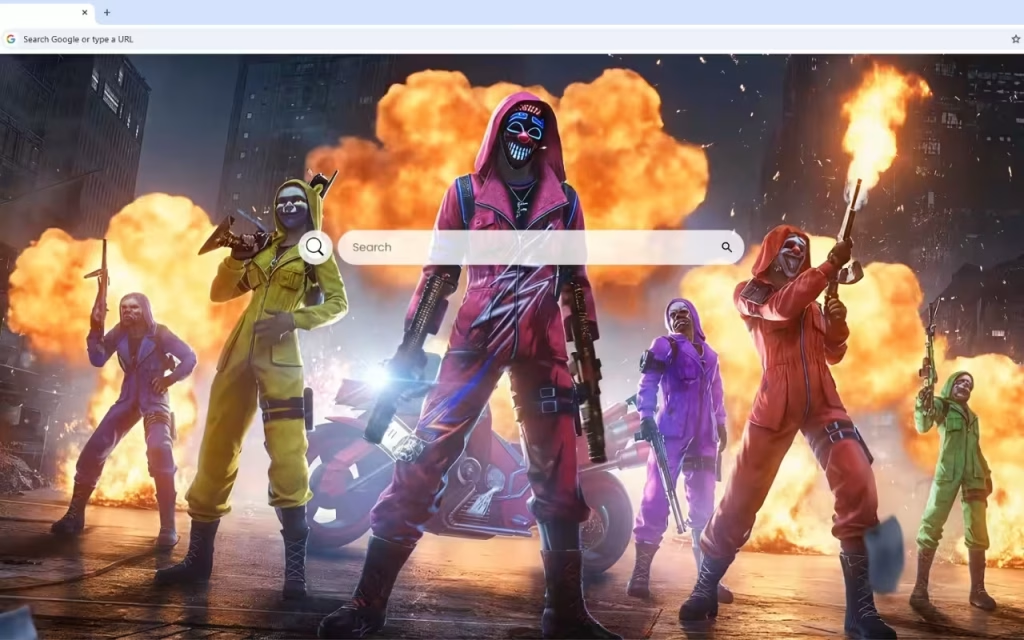
At the heart of the scene, the squad leader commands attention. Dressed in a striking pink leather jacket and matching hood, they wield dual golden assault rifles with deadly confidence. This isn't just about firepower; it's about making a statement. Their glowing LED mask cuts through the smoke-filled atmosphere with an intimidating grin, serving as the focal point of the composition.
Surrounding the leader is a "rainbow formation" of warriors, each distinct yet unified by their battle-readiness:
-
The Flankers: To the left, a warrior in brilliant yellow brandishes their weapon skyward, signaling victory. Beside them, a teammate in electric blue holds their ground with stoic resolve.
-
The Support: On the right, members in vibrant purple and fiery orange complete the visual spectrum.
-
The Gear: Every character sports unique LED masks that glow menacingly. From tactical utility belts to combat boots, the rendering is sharp and detailed.
Setting the Scene: Urban Chaos
The backdrop is just as important as the characters. The squad stands back-lit by massive explosions that paint the night sky in shades of orange and gold. Sparks cascade dramatically through the air, creating a dynamic, living atmosphere.
Visual Detail: Notice the wet pavement beneath the squad's boots. It reflects the inferno behind them, creating mirror images of their silhouettes and doubling the visual impact of the scene.
Why Free Fire Aesthetics Rule the Gaming World
You might wonder, why are we so drawn to these neon-soaked, masked visuals?
The Psychology of "The Skin"
In the early days of shooters, everyone looked the same. Free Fire revolutionized this by leaning heavily into "streetwear meets tactical gear." The popularity of this wallpaper stems from the concept of digital identity. The glowing masks and color-coordinated outfits represent a level of prestige and coordination that every player strives for.
Origin of the Style
The aesthetic seen in this Free Fire Live Wallpaper draws inspiration from tech-wear fashion and cyberpunk culture. The contrast of bright, neon colors (pink, yellow, cyan) against a dark, gritty urban environment creates a visual "pop" that is instantly recognizable. It signals that these characters aren't hiding in the shadows—they own the battlefield.
Operational Tools: Tactical Upgrades for Your Browser
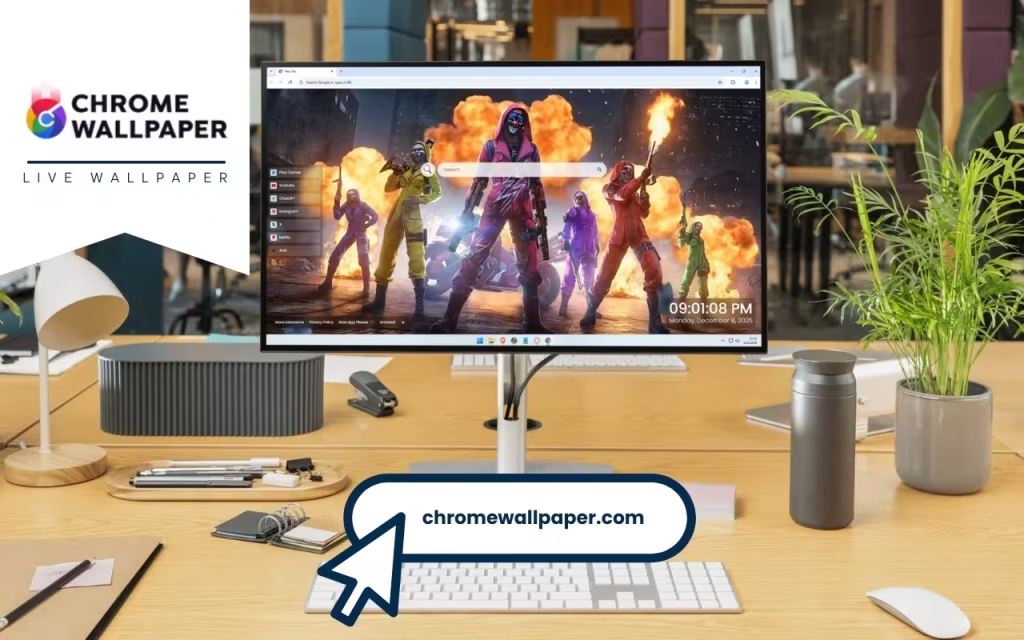
While the visuals provide the motivation, the features provide the means. Just as a squad needs medkits and gloo walls, a browser needs tools. This extension packs a loadout designed for efficiency.
🔗 & ➕ Speed and Customization
In a Battle Royale, speed is life. The same applies to the internet.
-
Popular Shortcuts: Gain instant access to entertainment and utility hubs like YouTube, Netflix, and ChatGPT. No need to type out URLs; one click gets you there.
-
Custom Shortcuts: Every player has a unique playstyle. Use the "Custom Shortcuts" feature to pin your favorite strategy guides, streamer channels, or social media pages directly to your home screen.
🔍 & 🕒 Awareness and Precision
-
Search Bar: The integrated search bar connects seamlessly to your default engine. It is designed to be unobtrusive, ensuring it doesn't block the view of the squad leader’s dual golden rifles.
-
Clock & Date: Losing track of time is easy when gaming or surfing the web. The modern, clean display of the time and date keeps you grounded, ensuring you never miss a real-life appointment (or a tournament start time).
🎮 & 🚀 Entertainment and Expansion
-
Play Games: Sometimes you have 5 minutes to kill but don't have time for a full match. The built-in casual games let you keep your reflexes sharp during short breaks.
-
More Extensions: Just as you loot crates for better gear, exploring the "More Extensions" tab allows you to find additional tools to upgrade your browsing journey.
The Default Tab vs. The Free Fire Battleground
To understand the upgrade, let's look at the stats. Here is a comparison between a standard browser experience and the Free Fire New Tab.
| Feature | Standard Chrome New Tab | Free Fire New Tab Extension |
| Visual Atmosphere | Sterile White or Grey | Explosive Battle Royale Action |
| Hero Image | None or Static Google Doodle | Free Fire Live Wallpaper (Dynamic/HD) |
| Motivation Factor | Low | High (Squad goals, Victory vibes) |
| Navigation | Basic History Tiles | Customizable, One-Click Shortcuts |
| Utility | Basic | Integrated Clock, Date, and Notes |
| Fun Factor | Non-existent | Built-in Casual Games |
Bringing the Battle Royale to Your Room (DIY Tips)
If this Free Fire Live Wallpaper inspires you, why stop at the browser? You can extend this "Cyber-Urban" aesthetic to your physical gaming setup.
1. RGB Lighting is Key
The wallpaper features a spectrum of Pink, Yellow, Blue, Purple, and Orange.
-
The Setup: Use smart LED strips behind your desk.
-
The Setting: Set them to a "breathing" effect that cycles through these specific colors. This mimics the pulsing chaos of the explosions and the glowing LED masks seen on the screen.
2. The "Gloo Wall" Texture
To match the gritty, war-torn city vibe:
-
Use a desk mat that features a concrete or metallic texture.
-
Decorate your shelves with neon signage (e.g., a "BOOYAH" sign) to replicate the bright lights of the cityscape.
3. Tips for Collectors
For fans who love the lore of Free Fire:
-
Identify the Bundles: Look closely at the wallpaper. Are the characters wearing elements from the Criminal Bundle or the Hip Hop Bundle? Identifying these rare skins makes the wallpaper even more valuable to a true fan.
-
Screenshot Art: Many collectors use high-res extensions like this to take clean screenshots (hiding the UI) to use as phone backgrounds, keeping the squad with them everywhere.
Join the Squad
The internet is a vast place, and navigating it can sometimes feel like a solo queue. But it doesn't have to be. With the Free Fire New Tab, you are greeted by a team of elite warriors every time you open your browser.
The combination of the Free Fire Live Wallpaper, the intense color palette, and the suite of productivity tools creates an experience that balances "cool" with "capable." It reminds you that whether you are writing an email or dropping into Bermuda, you should do it with style and confidence.
The squad is waiting. The city is burning. Are you ready to take command?
Which member of the squad represents your style? Do you prefer the aggressive pink leader or the tactical blue flanker? Tell us your favorite loadout in the comments below!