We open a new browser tab. A blank, stark white void stares back. It's the digital equivalent of an empty room, a sterile space we visit hundreds of times a day to start our journeys online. It’s functional, but it’s cold. It has no character.
Now, imagine this instead: You open a new tab and are instantly transported to an
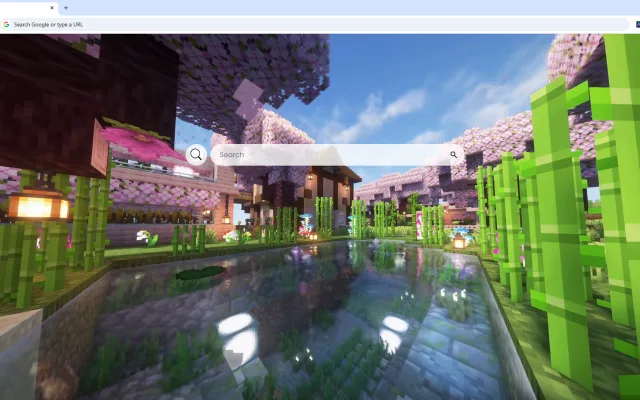
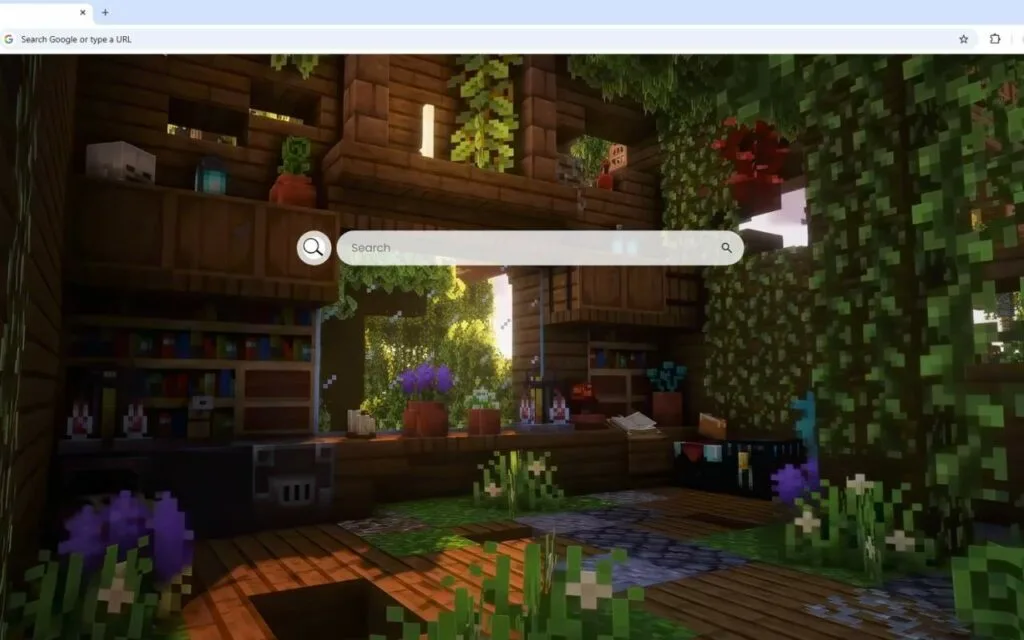
enchanting Minecraft cabin retreat. You're inside a rustic, warm, wooden room. Sunlight filters gently through the windows, illuminating
bookshelves filled with adventures. Nature has begun to gently reclaim the space, with flowering plants, hanging vines, and decorative pots creating a perfect, serene balance between the untamed wilderness outside and the comfort of home.
This is the
Minecraft Overgrown Cabin Live Wallpaper, a browser theme that does more than just change a background. It transforms your new tab page from a sterile tool into a
place.
This theme is surging in popularity, not just with
Minecraft players, but with anyone who craves a "cozy" digital space. It perfectly merges the nostalgia and creativity of
Minecraft with a powerful, high-utility dashboard. This article explores why this
Minecraft Overgrown Cabin Live Wallpaper is so effective and how it can completely change your relationship with your browser.
Why We Crave This Aesthetic
The
Minecraft aesthetic is one of the most recognizable in the world. But its power isn't just in its blocky simplicity; it's in the emotions it evokes. This specific
Minecraft Overgrown Cabin Live Wallpaper taps directly into the core of what makes the game so beloved: the feeling of safety and creativity.
A Digital Safe Haven
Minecraft is a game of two halves: the dangerous, dark "outside" (Creepers, skeletons, the unknown) and the safe, creative "inside" (your base). The most satisfying loop in the game is venturing out, gathering resources, and returning to build a home that is uniquely yours—a shelter from the chaos.
This
Minecraft Overgrown Cabin Live Wallpaper is that shelter.
- The Rustic Cabin: The wooden planks and cozy interior evoke feelings of warmth, safety, and stability.
- The Overgrown Nature: The vines and plants aren't a sign of decay; they're a sign of harmony. It represents a "cottagecore" ideal where nature and home coexist peacefully.
- The Bookshelves: In Minecraft, bookshelves represent knowledge and power (enchanting). Here, they represent the "adventures" and information you're about to embark on from your browser.
Every time you open a new tab, you're not just opening a tool; you're entering your digital "safe base." This provides a momentary mental reset, a small dose of calm and order before you dive into the chaos of the internet.
The "Cottagecore" & "Cozy Gaming" Phenomenon
This theme is a perfect example of the "cozy gaming" and "cottagecore" trends. This aesthetic movement idealizes a simple, pastoral life in harmony with nature. The
Minecraft Overgrown Cabin Live Wallpaper captures this perfectly:
- It's a "hand-built" space, not a cold, manufactured one.
- It prioritizes natural elements (wood, plants, sunlight).
- It feels solitary and peaceful, a true "retreat."
We crave these "cozy" digital spaces as an antidote to our hyper-fast, often stressful online lives. This theme isn't just a background; it's a statement about the
kind of digital environment you want
More Than a Build: Your Functional Crafting Table
A beautiful theme is one thing. A beautiful theme that makes you more productive is another.
The true genius of the
Minecraft Overgrown Cabin Live Wallpaper is that it's a complete, functional dashboard. It integrates the tools you need directly into the cozy scene, turning your beautiful retreat into a powerful "crafting table" for your daily tasks.
Your Command Center for Daily Adventures
The theme is built for efficiency, placing your most-used tools right at your fingertips.
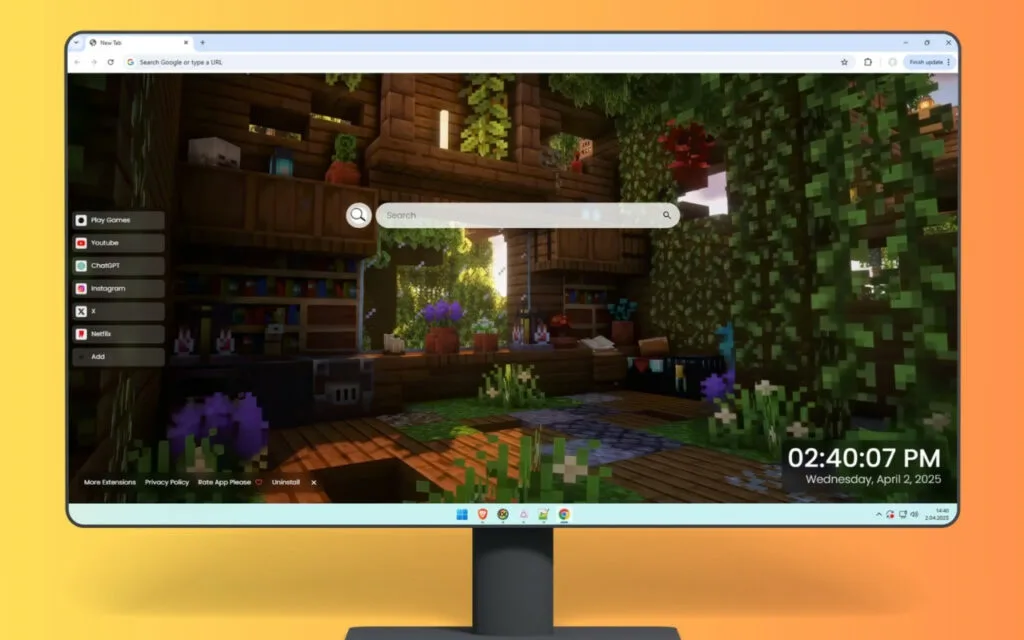
- 🔗 Quick Access Shortcuts: Your "hotbar" for the web. It comes pre-loaded with essentials like YouTube, Netflix, and ChatGPT, letting you get to your most-used "tools" instantly.
- ➕ Custom Shortcuts: This is your personal "storage chest." You can add your own favorite websites—your work portal, school email, favorite wikis, or project management boards.
- 🔍 Search Bar: Your "map" to the digital world, seamlessly connected to your default search engine.
Tools for Your "Day/Night Cycle"
The dashboard also includes smart widgets that help you manage your real-life "day/night cycle" of work and play.
- 🕒 Clock & Date: A modern, clean display that keeps you grounded in the real world, so you don't spend too long on your digital adventures.
- 🎮 Play Games: Your personal "Jukebox" or "cake." Tucked into the dashboard is a built-in entertainment menu.
Productivity Tip: This 🎮 Play Games feature is perfect for "micro-breaks." Productivity methods like the Pomodoro Technique rely on short, 5-minute breaks to reset your brain. A quick game within your browser is a perfect, contained way to rest your mind before diving back into your work.
This
Minecraft Overgrown Cabin Live Wallpaper ensures that your coziest space is also your most efficient one.
How to Build Your Own Minecraft Retreat (Digital & In-Game)
Inspired by the
Minecraft Overgrown Cabin Live Wallpaper? For "collectors" of digital aesthetics, finding the perfect theme is just the start. Here’s how to curate your vibe and even replicate it in the game itself.
Tips for Curating Your Digital "Cozy" Theme
Not all live wallpapers are built the same. When you're looking for your perfect
Minecraft Overgrown Cabin Live Wallpaper, look for these quality markers:
- High Resolution: "Blocky" should never mean "blurry." Insist on a 4K or HD render. The magic is in the crisp edges and the textures.
- Subtle "Live" Elements: The "live" part should be atmospheric. Look for gently shifting sunlight, "god rays" with drifting dust motes, or a subtle, slow sway in the hanging vines.
- Lightweight Performance: A good theme is optimized. It should be beautiful without slowing down your browser or consuming all your system's resources.
- Seamless UI: The tools (🔗, 🔍, 🎮) should feel integrated. They should be clean, minimalist, and use a font that matches the "cozy" or "blocky" aesthetic.
In-Game Building Guide: Replicating the "Overgrown" Look
Want to build this
Minecraft Overgrown Cabin Live Wallpaper in
Minecraft itself? Here’s a quick guide:
- Block Palette: Use warm, rustic woods. Spruce and Dark Oak planks, logs, and stairs are your best friends.
- Greenery is Key: This is the "overgrown" part. Use Vines that hang from the ceiling, Leaf Blocks (especially Flowering Azalea), and place Moss Blocks and Moss Carpet on the floor.
- Homey Details: Use Bookshelves to fill the walls. Place Flower Pots on shelves and tables, and plant various flowers. Use Lanterns or Soul Lanterns for a warm, dim light.
- Framing: Use Glass Panes (not full blocks) for windows to make them feel more delicate.
Table: Browser Customization Options
| Feature |
Standard Browser New Tab |
Static Wallpaper Extension |
Functional "Live" Theme (e.g., Minecraft Overgrown Cabin) |
| Visuals |
Sterile, white, uninspired. |
A single, fixed image. |
A dynamic Minecraft Overgrown Cabin Live Wallpaper. |
| Functionality |
🔍 Search Bar + 8 auto-links. |
None. Replaces all tools. |
Full Dashboard: 🔍, 🔗, ➕, 🕒, 🎮. |
| Customization |
Very Low. |
Low (Can only change the image). |
High. (Full control over links, settings). |
| "Cozy Factor" |
Zero. (Cold and functional). |
Medium. (Nice to look at, but static). |
High. (An immersive, useful, and beautiful "home"). |
Your Home Base for the Web
Your browser's new tab is the most valuable digital real estate you own. It's the "spawn point" for your entire online day. To leave it as a blank, empty void is a missed opportunity.
The
Minecraft Overgrown Cabin Live Wallpaper is the perfect solution. It's a rare theme that understands
why we love
Minecraft—it's not just a game, it's a feeling. It's the feeling of building a home, of being safe, and of being creative.
This theme captures that feeling and merges it with the real-world tools you need to be productive. It’s a retreat and a command center all in one.
So, take a look at your new tab. Is it just a blank space, or is it a home? What's your favorite
Minecraft build or aesthetic that you'd love to see as a browser theme?