There is a specific feeling that every gamer knows: the moment you spawn into a new world. The sun is rising over blocky hills, the music swells, and the possibilities are infinite. For over a decade, Minecraft has been more than just a game; it is a canvas for creativity, a test of survival, and a global cultural phenomenon.
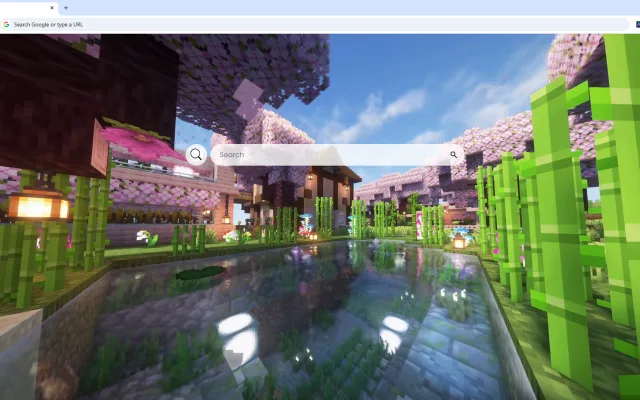
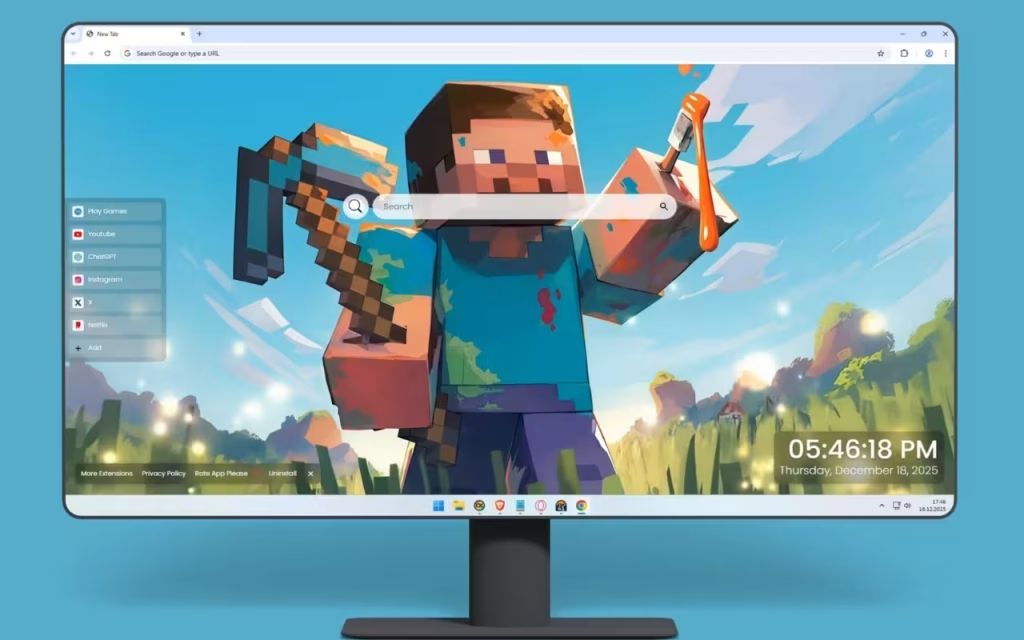
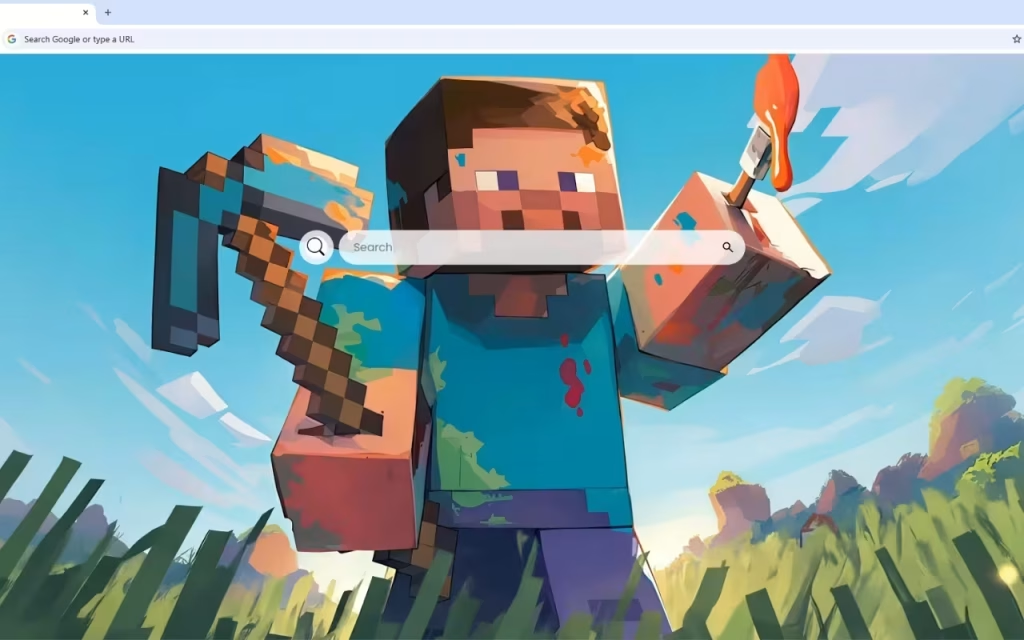
Now, you can capture that spirit of boundless exploration every time you open your browser. The Minecraft Steve Painting Live Wallpaper is a stunning fusion of gaming culture and artistic interpretation. It reimagines Steve—the legendary protagonist—not just as a collection of pixels, but as a heroic figure rendered with smooth, painterly strokes. Standing against a brilliant azure sky, clad in cyan diamond armor and wielding a blazing torch, this wallpaper elevates the "blocky" aesthetic into fine art.
In this article, we will dig deep into the origins of this iconic character, analyze the features of this immersive browser extension, and provide a blueprint for creating the ultimate gaming battle station.
The Legend of the Blocky Hero
To appreciate the depth of the Minecraft Steve Painting Live Wallpaper, we must first understand the subject. Steve is arguably one of the most recognized faces in video game history, right up there with Mario and Sonic. But who is he, really?
The Origin of "Steve"
When Minecraft was first released to the public in 2009 by Markus "Notch" Persson, the player character didn't have a name. He was simply "The Player." It wasn't until Notch jokingly referred to him as "Steve" in an interview that the name stuck. Later, the female counterpart "Alex" was introduced, but Steve remains the original avatar of the player's will.
The artwork in this wallpaper pays homage to that history while upgrading the visuals. It moves away from the raw, low-resolution texture of 2011 and embraces a "fan art" style where the diamond armor glistens with realistic lighting and the blazing torch radiates actual warmth.
Why Is Steve So Popular?
Why does a generic man in a blue shirt resonate with millions?
-
The Blank Slate: Steve has no backstory, no voice lines, and no defined personality. He is a vessel for your story. Whether you are a builder, a redstone engineer, or a warrior, Steve becomes you.
-
The Underdog: Starting with nothing but his bare hands and punching trees, Steve’s journey to defeating the Ender Dragon is the ultimate "zero to hero" arc.
-
Iconic Design: The simplicity of his design makes him instantly recognizable. The wallpaper captures this by keeping his "characteristic blocky aesthetic" but softening the edges with "lush green grass blocks" and atmospheric lighting.
Analyzing the Art: A Triumphant Pose
The Minecraft Steve Painting Live Wallpaper distinguishes itself from standard screenshots through its artistic composition. It captures a specific mood: Triumph.
-
The Gear: Steve is depicted wielding his "trusty diamond pickaxe" in one hand and a torch in the other. In the game, this combination represents the core loop: mining for resources and lighting the way through the darkness. The marks on his armor tell a story of countless expeditions and epic battles against Creepers and Skeletons.
-
The Environment: The background reveals a distant landscape with "rolling hills and iconic terrain formations." Unlike the sharp, jagged edges of the raw game, these are rendered in soft focus, creating a sense of depth and scale.
-
The Lighting: The "vibrant emerald tones" of the grass catch glimmers of sunlight. This lighting effect transforms the desktop into a window looking out onto a pristine, untouched world waiting for you to build upon it.
Your Inventory: Inside the Dashboard Features
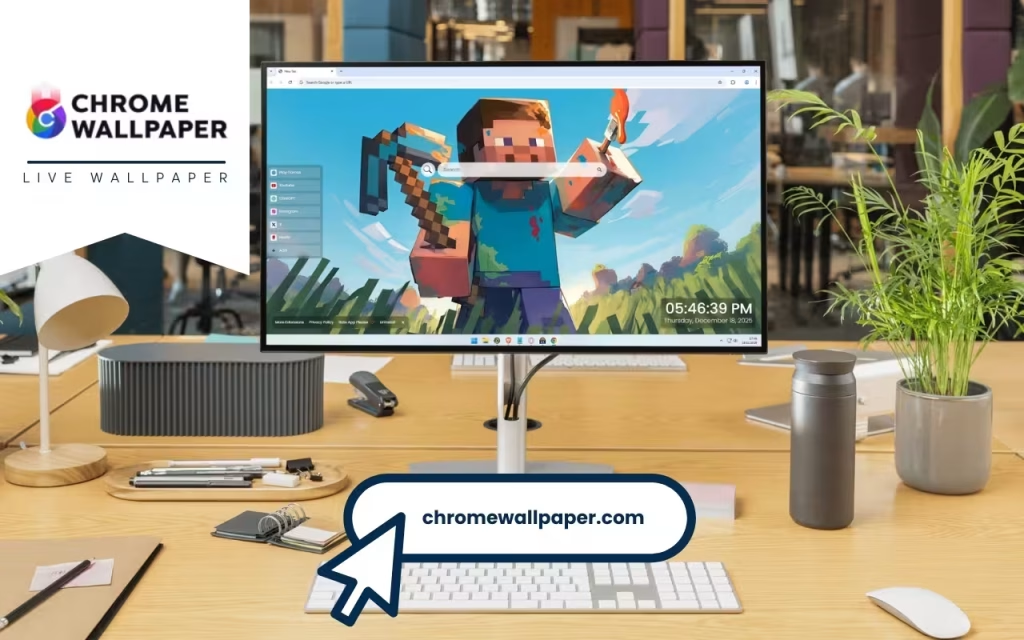
A true Minecraft player knows the importance of a well-organized inventory. Similarly, this live wallpaper organizes your digital life. It is not just a pretty picture; it is a functional HUD (Heads-Up Display) for your daily browsing.
🛠️ Tools for Survival (and Browsing)
This extension equips you with the following features:
-
🔗 Popular Shortcuts: Just as you keep your sword and food in your hotbar, this feature gives you quick access to YouTube, Netflix, ChatGPT, and more.
-
➕ Custom Shortcuts: Add your own favorite websites with ease. Whether it’s the Minecraft Wiki or your server’s map, keep them one click away.
-
🔍 Search Bar: Seamlessly connected to your default search engine. This is your crafting table for information—search for anything, anytime.
-
🕒 Clock & Date: A modern, clean display ensures you don't lose track of real-world time while you are deep in the mines.
-
🎮 Play Games: Need a break from work? Built-in entertainment options allow for quick gaming sessions directly in the tab.
-
🚀 More Extensions: Enhance your journey with additional widgets, just like installing mods on a server.
Technical Comparison: Vanilla vs. Modded Desktop
Is it worth upgrading from a standard static background to the Minecraft Steve Painting Live Wallpaper? Let’s look at the data in this comparison table.
Table 1: The Desktop Experience Comparison
| Feature | Standard Static Wallpaper | Minecraft Steve Painting Live Wallpaper |
| Visual Immersion | Static image; flat and lifeless. | Dynamic: "Atmospheric lighting" and swaying grass effects bring the scene to life. |
| Art Style | Often low-res game screenshots. | Fine Art: Painterly strokes that elevate the pixelated world. |
| Utility | Zero. Icons cover the artwork. | High: Integrated search, clock, and shortcuts designed to complement the art. |
| Customization | Limited to OS settings. | Flexible: Add/remove widgets and customize links like a modpack. |
| Inspiration | "Just a picture." | Motivational: Steve’s "determined expression" embodies the spirit of creation. |
How to Create a Minecraft-Themed Battle Station
If you install the Minecraft Steve Painting Live Wallpaper, you have laid the foundation. Now, it’s time to build the house. Here is how to theme your physical setup to match the "brilliant azure sky" and "lush green grass" of the wallpaper.
Lighting the Overworld
-
The Torch Effect: Use a warm orange desk lamp or an RGB strip set to Orange/Yellow behind your monitor to mimic the "blazing torch" Steve is holding.
-
The Diamond Glow: Set your keyboard and mouse RGBs to Cyan (#00FFFF) to match the diamond armor.
-
Ambient Light: Use a green light strip under your desk to represent the "lush green grass blocks."
Tips for Collectors
Minecraft merchandise is vast, but for a setup that matches this artistic wallpaper, you want high-quality items.
-
Vinyl Figures: Look for "Grand Adventure" style figures from makers like Jinx or Mattel that feature Steve in armor.
-
LEGO Sets: A built LEGO Minecraft set (like The Mountain Cave or The Crafting Box) placed on a shelf above the monitor adds a 3D physical element to the blocky theme.
-
Prop Replicas: A life-sized foam Diamond Pickaxe mounted on the wall is the ultimate nod to the "trusty tool" seen in the artwork.
Pro Tip: To truly capture the "painterly" aesthetic of the wallpaper, look for posters or mousepads that feature concept art of Minecraft rather than in-game screenshots. This maintains the artistic consistency of your setup.
Keep Crafting, Keep Exploring
The Minecraft Steve Painting Live Wallpaper is a celebration of the creative freedom that defines the game. It reminds us that whether we are mining for diamonds in a cavern or searching for information on the web, we are all explorers in our own way.
The artwork perfectly balances the game's signature cubic style with artistic depth. Steve’s heroic stance against the horizon serves as a daily motivation to build something great, survive the challenges of the day, and keep moving forward. By integrating useful tools like the search bar and custom shortcuts, this extension ensures that your browser is as versatile as a Crafting Table.
What is your fondest memory of playing Minecraft? Was it building your first dirt house or defeating the Ender Dragon? Share your stories in the comments below!