In the vast digital landscape we navigate daily, our desktop is our home base. For years, we've settled for static images or simple, looping videos. But what if your wallpaper wasn't just a background? What if it was an interactive, intelligent, and artistically stunning assistant? Enter the
Windows Chan Live Wallpaper.
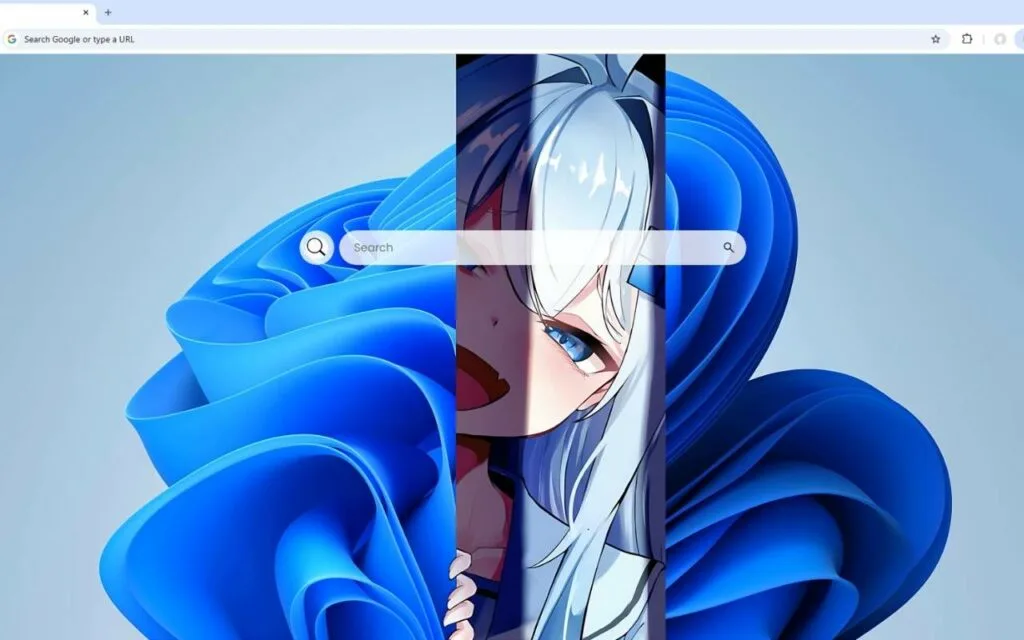
This isn't just another anime background. It's a complete fusion of technology and artistry, a striking illustration that reimagines the Windows operating system as an elegant anime character. With distinctive white-silver hair cascading over one side of her face, her piercing blue eyes seem to glow with digital intelligence. Her very design is a nod to the iconic Windows aesthetic, emerging from flowing layers of vibrant blue fabric that mimic the undulating forms of Windows 11's default themes.
This dynamic piece of art is more than just visuals; it's a functional dashboard designed for the modern user. But where did this concept come from? And why has this specific blend of anime and tech captivated so many users? Let's boot up and explore the world of this digital muse.
The Phenomenon of "OS-tans": What is its Origin?
The idea of personifying software is not new. This
Windows Chan Live Wallpaper is the latest evolution of a fascinating internet subculture known as "OS-tans" (or "OS-girls"), where operating systems are reimagined as anime-style characters.
From Forum Meme to Global Subculture
The concept originated in the early 2000s on Japanese imageboards, most notably Futaba Channel (2chan).1 It began as a series of jokes and fan art, with the first widely recognized character being "Me-tan," the personification of the notoriously unstable Windows Me. She was depicted as a clumsy, error-prone, but lovable girl, perfectly capturing the user experience of that OS.
This creative spark ignited a wildfire:
- Windows 95-tan was often drawn as a traditional, samurai-era woman, reflecting her "older" status.
- Windows XP-tan became the most popular, depicted as an energetic and highly capable character, mirroring the OS's market dominance.
- Even rival systems got their own 'tans,' with Mac-OS-tan and the various Linux-tans creating a full ecosystem of characters.
This new
Windows Chan Live Wallpaper is a direct descendant of this legacy. It moves past the meme and elevates the concept into a sophisticated and modern piece of art, specifically reflecting the sleek, "Fluent Design" philosophy of Windows 11 with its soft gradients and azure blue palette.
Art That Looks Back: Beyond Passive Display
The key difference between the original OS-tans and this new generation is interactivity. Early fan art was static. You could set it as your wallpaper, but it was just an image.
The modern
Windows Chan Live Wallpaper breaks this boundary. The character isn't just
on your desktop; she
is your desktop. The technology allows her to be part of the interface, a "Genki" (energetic) guide rather than a passive portrait. This evolution from a simple drawing to a functional hub is what makes it a revolutionary step in desktop customization.
Why is This Windows Chan Live Wallpaper So Popular?
The surge in popularity for this specific wallpaper isn't just about a pretty picture. It's a perfect storm of aesthetics, utility, and a growing cultural trend. The data doesn't lie: searches for terms like "aesthetic desktop" and "desktop customization" have skyrocketed in recent years, with users eager to make their digital spaces truly their own.
A Perfect Fusion of Aesthetics and Utility
At its core, the
Windows Chan Live Wallpaper solves two problems at once:
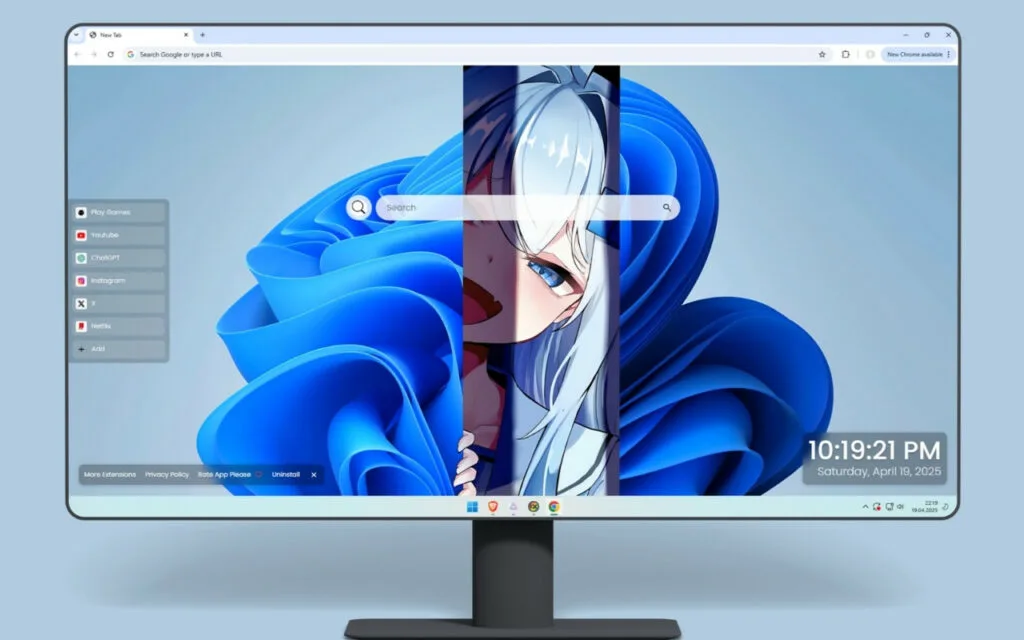
- The Need for Beauty: It’s visually striking. The vertical split composition, with the character partially revealed, is a masterful design choice. It's artistic, clean, and avoids the "clutter" of many other live wallpapers.
- The Need for Function: It’s incredibly useful. It transforms a "dead" space into a high-speed command center, integrating tools you use every day directly into the visual art.
Beyond Static Art: The Interactive Dashboard
This is where the "live" aspect truly shines. This wallpaper is a skin, a theme, and a utility suite all in one. The character is your co-pilot, and her interface provides immediate, one-click access to your digital life.
Let's break down the built-in features:
- 🔗 Quick Access Shortcuts: Pre-loaded links to essentials like YouTube, Netflix, and ChatGPT. This eliminates the need to open a browser and navigate manually.
- ➕ Custom Shortcuts: This is crucial for personalization. You can add your own favorite websites, applications, or project folders, making the desktop truly yours.
- 🔍 Search Bar: A clean, minimal search bar that seamlessly connects to your default search engine, integrating browsing directly into the desktop.
- 🕒 Clock & Date: A modern, clean typography display of the current time and date, designed to match the wallpaper's aesthetic.
- 🎮 Play Games: A built-in entertainment module for quick browsing breaks, showing that the wallpaper understands the user's need for both work and play.
The Rise of the "Personalized Digital Space"
This wallpaper is a prime example of a larger trend. In a world where many of us spend 8+ hours a day at our computers, a generic desktop feels impersonal and uninspiring.
A recent analysis of digital trends showed that searches for "desktop customization" and "aesthetic wallpaper" on platforms like Pinterest and TikTok have grown by over 300% since 2020. Users, particularly younger generations, see their digital setup as an extension of their personality, just like their physical room or outfit. The
Windows Chan Live Wallpaper isn't just a tool; it's a statement piece.
Have you customized your own desktop? What's the one feature you can't live without?
How to Create a Similar Decoration or Get This Look
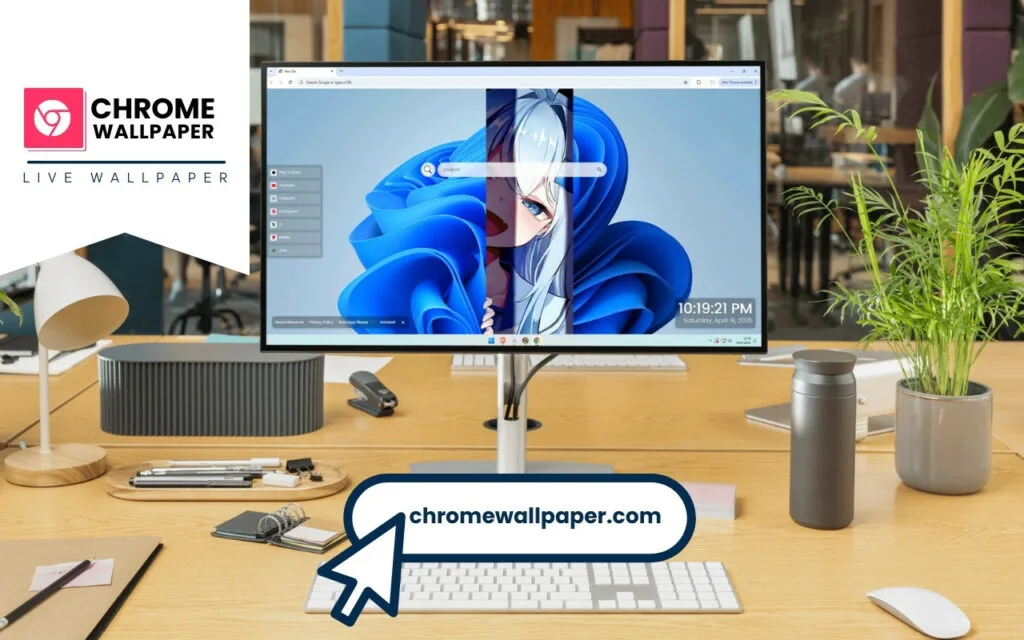
Seeing this stunning setup often leaves users with one big question: "How can I get this?" While this specific, artist-made wallpaper might be a single product, you can absolutely achieve a similar look and feel by combining the right tools and themes.
The Tools You'll Need for Your Own OS-tan
To create an interactive desktop, you need software that can layer "widgets" or "skins" over your wallpaper. The most popular tools for this are:
- Wallpaper Engine: A tool on the Steam platform with a massive, user-generated library of live and interactive wallpapers.2
- Rainmeter: A free, open-source desktop customization tool that is famous for its power and flexibility.3 It allows you to create and display custom widgets—like clocks, calendars, and system monitors—that you can layer over any background.
- Lively Wallpaper: Another free and open-source option that supports a wide variety of animated and interactive wallpaper types.4
A Step-by-Step Guide to Customization
- Start with the Art: First, find your base wallpaper. You can search art communities for "OS-tan," "Windows Chan," or "anime tech" themes. Look for high-resolution images (4K) that have some "negative space" where you can place your widgets.
- Install Your Customization Engine: Choose and install one of the tools mentioned above (like Rainmeter).
- Find Your Widgets: Search for widget "skins" that match the blue, futuristic aesthetic. Look for "clean clock," "minimal search," or "icon launcher" skins.
- Arrange and Tweak: This is the fun part. Drag and drop your widgets onto the desktop. Position them to complement the artwork. In the case of the Windows Chan Live Wallpaper, the widgets are cleanly arranged in a panel, which is a great way to avoid visual clutter.
- Configure Your Shortcuts: Once the widgets are in place, right-click on them to configure their settings. Point the shortcut icons (like 🔗 and ➕) to your most-used websites and apps.
Feature Comparison: Upgrading Your Desktop
Why go through the trouble? This table breaks down the evolution of the desktop.
| Feature |
Static Wallpaper |
Standard Live Wallpaper |
Interactive (Windows Chan) Wallpaper |
| Visuals |
Static Image |
Looping Animation/Video |
High-End Illustration with Dynamic Elements |
| Interactivity |
None |
None (Passive viewing) |
High (Clickable shortcuts, search, games) |
| Personalization |
Low (Change image) |
Medium (Some color/speed settings) |
Very High (Custom links, app launchers) |
| Resource Use |
Very Low |
Low to Medium |
Medium |
| Functionality |
Background Only |
Background Only |
Dashboard & Hub |
Tips for Collectors and Theme-Makers
- For Collectors: When curating your themes, focus on harmony. Your icons, widgets, and wallpaper should all speak the same design language. Don't be afraid to mix and match skins, but try to keep the color palette consistent (e.g., azure blue, white, and silver).
- For Creators: If you're inspired to make your own Windows Chan Live Wallpaper, remember the balance. The design must be beautiful but also functional. Ensure your interactive elements are responsive and, most importantly, don't drain system resources. Performance is key.
Conclusion: Your Desktop, Reimagined
The
Windows Chan Live Wallpaper represents more than just a fleeting trend. It is the beautiful, logical conclusion of our desire to make technology more human. It fuses the rebellious, creative spirit of internet subculture with the sleek, practical demands of a modern workflow.
It proves that a desktop doesn't have to be a boring grid of icons. It can be a piece of art, a personal assistant, and a reflection of your unique style. By blending the character of an OS-tan with the power of an interactive dashboard, this wallpaper transforms your daily computer use from a simple task into a genuine experience.
What features would you want most in your own interactive wallpaper? Would you add a music visualizer, a news feed, or something else entirely? Share your ideas in the comments below!